
In this article we will cover all aspect of personal profile to get you up and running.
Use this article also as a guide to check common processes.
Prerequisites
New member must provide personal details (Full Name, Phone, Email, Address, and DOB and contact details for emergency contact)
There must be a contract or printed email outlining the terms and conditions of the engagement (provation period, remuneration, schedule…)
New member Tasks
- Login to Gmail and create new password
- Login to App and reset password
- Go to profile page and fill personal information
- Watch and understand On boarding tutorial
Google Workspace
GMail
Email Accounts
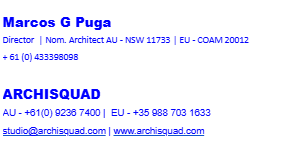
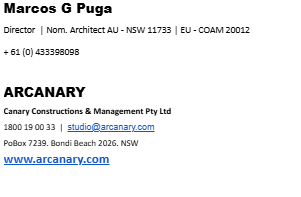
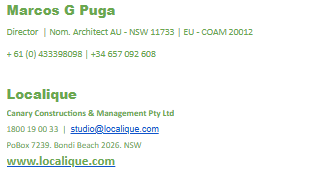
Please setup @Arcanary, @Archisquad and @Localique emails account to be used depending of the type of project/service
Signature
Please request and email from Marcos G Puga from the diffferent addresses so it can be copied and modified to your personal details
GDrive
GChrome
Setup an account in google chrome using your company email. Add the following links to the bookmarks
Google meet links
GMeet, GChat, GCal
GMeet
It is the default application for meetings.
Note that all team meetings at 7am UK time are in Room 1
Please add this four room links to your bookmarks in your google chrome profile
GChat
Reach out to your office manager and request access to:
- production@arcanary.com
- kaizen@arcanary.com
- operational@arcanary.com
GCal
Reach out to your office manager and request access to the following calendards
- ABSENSE
- MEETINGS
- PRODUCTION
If you are in an admin role request also to BD and ADMIN
APP
below a video about the concept of kaizen and how to track
Trello
This is the software used for managing resources. You need to reach out to your office manager and get an account created. you then need to make sure you have a kanban column assigned and an automation rule created to automatically adds you to any card created in your column
Academy
Below is an overall video of the Academy software
On Boarding Tasks
- Send an email using each account
- Create a fake absense entry in the calendar for a couple of days, and a fake meeting in the meeting calendar
- add to your personal folder (access from your profile) your CV, Portfolio and fill additional infoamriton for mapyment
- Track an admin iteration agaist 000 – operations as A, and notify your office manager. add screenshots of your profile being completed and a link to your personal folder with your docs uploaded